

Word 2007/2010/2013 - migrating templates, toolbars and VBA macros
Word versions 97 through to 2003 share the same file format and user interface. The big jump is to Word 2007/2010/2013 which mostly share the same file format and user interface but are completely different to the previous Word versions:
- Native .docx and .dotx file formats based around xml (.docm and .dotm when they contain macros)
- Ribbon user interface - known as "Fluent"
These .docx and .dotm file formats are incompatible with previous versions of Word but can be opened by them using Microsoft filters, see: Word Compatibility Pack
Old .doc and .dot file formats can be opened in Word 2007-13 where they come up in 'Compatibility Mode'. In this mode they are workable and editiable but will display various warning messages when being saved. Of course they cannot contain any of the new features or customisations available in Word 2007-13.
If you have a Word 2003 or older template set it is possible to modify this set so that it all works reasonably well in Word 2007-13 as well as the existing version of Word. The advantage being one set of templates work for all versions of Word. The issue with this approach is than any custom toolbars are only accessible via the Add-Ins tab which is an awkward extra click for users. And their main complaint will be that they cannot find things. The other issue is the documents are in 'Compatibility Mode'.
In the picture below the custom Company toolbar is only available under the Add-Ins tab.

It is fiddly for the user to have to keep clicking the Add-Ins tab.
A better solution is to let us create you a new global addin for Word 2007-13 which provides a custom ribbon tab.

We can also add any of these buttons, say the most frequently used ones, to the main Home tab, eg:
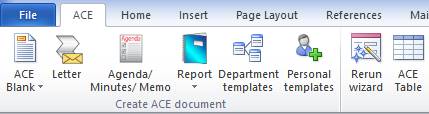
In this way the main buttons are pretty much always visible to the user.
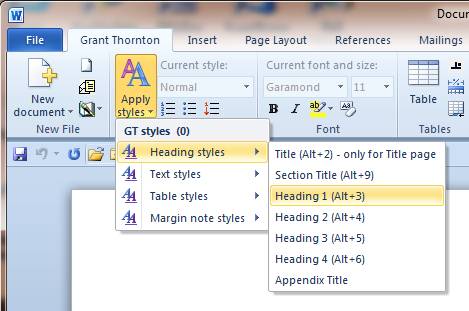
The ribbon can have sophisticated tools such as this style drop down which dynamically changes to be applicable to the active document and applies company styles to reinforce the company brand.